About this game
Game Introduction
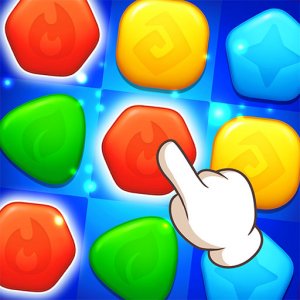
Tile Pair Puzzle is a tile-matching game that provides a gentle mental workout. The main goal is to clear a board filled with tiles by finding and matching two identical ones. This game is based on the classic solitaire tile-matching genre, where players select tiles that are free on at least one side and not covered by others. It is designed for players of all ages, with a family-friendly approach that emphasizes calm and rewarding gameplay. The game works smoothly on modern browsers across PC, mobile phones, and tablets, making it accessible for short breaks or longer sessions.
How to Play
Players start by looking at the tile layout and identifying pairs of matching tiles. Tiles that are not blocked by neighbors or stacked on top can be selected. The goal is to click on two matching tiles to remove them from the board. As the game progresses, careful observation and planning are needed to clear all tiles. If no moves are possible, a shuffle feature rearranges the tiles to provide new opportunities. The game may include multiple difficulty levels to accommodate beginners and experienced players.
Game Features
Classic tile-matching gameplay that is easy to learn. Multiple difficulty levels may be available to suit different skill levels. Full screen support for an immersive experience. Family-friendly design with no inappropriate content, suitable for ages 3 and up. The game runs smoothly on any device with a modern browser thanks to HTML5 technology. A shuffle feature helps when players are stuck, ensuring the game remains enjoyable. The clean design and gentle pace make it a great choice for players of all ages.
Tips for Success
Practice regularly to improve your observation skills and pattern recognition. Start with easier difficulty levels to understand the mechanics before moving to harder challenges. Look ahead and plan your moves to avoid getting stuck. Use the shuffle feature wisely when no moves are available. Take your time and enjoy the process, as the game is designed to be relaxing. Learning common tile layouts can help you clear boards more efficiently.