What players say
Coloring Master ASMR provides a peaceful coloring experience for young children. The hand-painting method encourages careful control and creativity. Each completed drawing unlocks a new image, giving a sense of progress. The game is safe, with no ads or inappropriate content. It runs smoothly on any device and is a great tool for developing fine motor skills and color recognition. Perfect for quiet, focused play.
About this game
Game Introduction
Coloring Master ASMR is a delightful coloring game designed for children aged three and older. The game offers dozens of images that gradually unlock as players progress through levels. Each level presents a unique character made of several elements combined into one picture. Kids choose colors from a palette and paint each area by moving their finger over it. There is no automatic fill, which encourages careful and creative coloring. Once an area is painted, they can change colors and move to the next part. After finishing a drawing, the next level becomes available. The game uses HTML5 technology and works on PCs, mobile phones, and tablets. It supports full-screen mode for an immersive experience. Released in January 2024, this game is family-friendly and free from any prohibited content.
How to Play
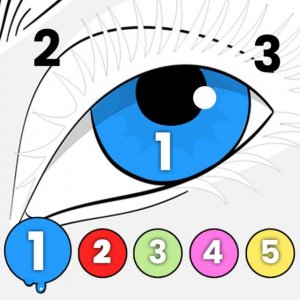
To play, start by selecting a level. Each level shows a drawing with several elements. Below the drawing, a palette displays various colors. Choose a color by tapping or clicking on it. Then, use your finger on touch devices or your mouse on a PC to paint over the area you want to color. Move your finger or mouse across the area to apply the color. There is no automatic fill, so you need to cover each section manually. Once you finish painting one area, pick a new color from the palette and paint the next part. Continue until the entire drawing is colored. After completing the drawing, you can proceed to the next level to unlock new characters and images. The controls are simple and intuitive, making it easy for young children to enjoy.
Game Features
Fun, creative, and relaxing coloring for kids. Develops fine motor skills and color recognition. Safe, ad-free environment. Smooth performance on all modern browsers. Full-screen mode available. Regular updates with new images.
Tips for Success
This game offers a calm and creative experience for kids. It helps them practice hand-eye coordination and learn colors in a fun way. The simple controls and gentle pace make it perfect for quiet playtime.